Corporate Event
Corporate Event AV Checklist
If you’re planning a corporate event, this checklist helps you cover the stuff that actually causes problems, sound, screens, power, content, and on-site support. Use it to brief your venue, your AV supplier, or your internal team.
January 31, 2026
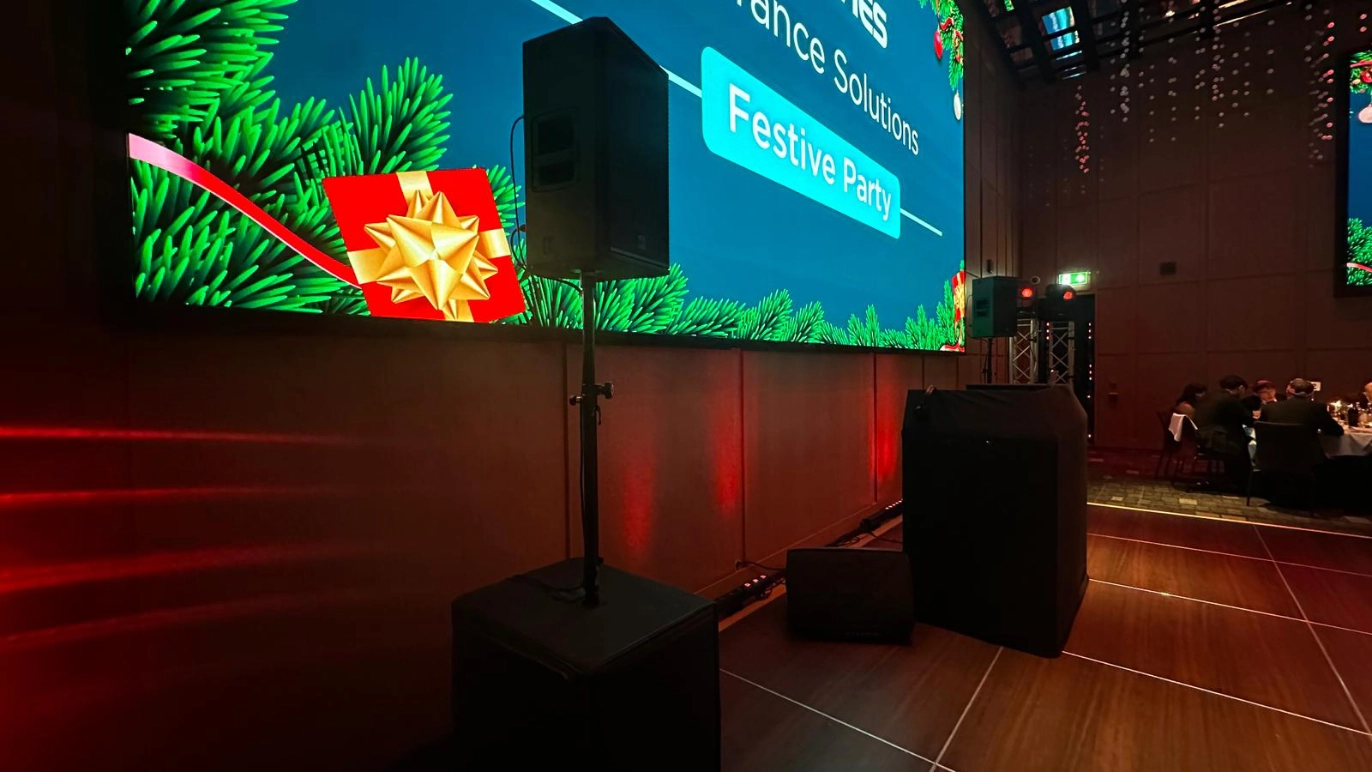
AV planning for corporate events: the checklist that prevents disasters
Most AV failures are not “bad luck”. They happen because nobody confirmed basics early, the room was guessed, or someone assumed the venue “has it covered”.
This guide is built for real corporate events, talks, panels, awards, training days, town halls, and hotel suites. It’s not about fancy kit. It’s about making sure 180 people can hear, see, and stay engaged.
1. Venue essentials to confirm before you book anything
Get these answers before you lock your schedule, staging, or supplier.
Room and layout
- Room dimensions, ceiling height, and any pillars or low beams
- Seating style (theatre, cabaret, classroom) and max capacity for each
- Where the stage can go, and whether it blocks fire exits
Power and internet
- Number of dedicated power circuits available in the room
- Where sockets are, and whether you can run cables safely
- Wi-Fi quality, and whether dedicated internet is available (important for streaming)
Access and restrictions
- Load-in route, lift access, and time windows for setup and breakdown
- Are outside AV suppliers allowed?
- Are there fees for using external suppliers or “in-house only” rules?
- Any restrictions on rigging, haze, tape on walls, or noise cut-off times
If the venue answers vaguely, that’s a warning sign. Push until it’s clear.
2. Audio checklist (this is the non-negotiable part)
If people can’t hear, your event is cooked.
Microphones
- 1x wireless lapel mic per main speaker (or shared with quick swaps if managed properly)
- 1–2x handheld wireless mics for Q&A (don’t rely on shouting)
- Lectern mic if speakers stay at a lectern
- Spare batteries, plus spares of any critical mic kit
Sound system
- Speakers positioned for even coverage (not just loud at the front)
- Mixer to control levels for mics, laptop audio, walk-in music
- A soundcheck plan, with someone responsible for it
Audio risk checks
- Feedback risk (room acoustics, mic type, speaker placement)
- Mic handling rules (who turns them on/off, who swaps packs)
- A backup plan if a mic drops out mid-talk
3. Visuals checklist (make it readable from the back row)
Good visuals are about sightlines and brightness, not “biggest screen”.
Screens and display
- Projector + screen sized for the depth of the room, with the right brightness for ambient light
- OR LED screen if the room is bright and projection will look washed out
- Confidence monitor for speakers if they need prompts or notes
Playback
- Dedicated presentation laptop (don’t rely on a speaker’s personal device)
- Slide clicker, plus a spare
- Correct adapters (USB-C, HDMI, any weird ones your speakers use)
- Backup copy of slides and videos (USB + cloud + on the playback laptop)
Room checks
- Can everyone see the screen from the sides?
- Any glare from windows or downlights?
- Where will the operator sit so they can see what guests see?
"If people can’t hear the speaker clearly from the back row, nothing else you do matters, fix the audio first, then build everything around it."
4. Lighting checklist (keep it simple, keep faces visible)
Most corporate events don’t need a “lighting show”. They need speakers to look clear and professional.
- Front light on speakers (so faces are not shadowed)
- Lighting balance so the audience can take notes without washing out screens
- If filming or streaming, adjust lighting for camera, not just the room
Avoid overcomplicating this unless the event is being recorded for serious use.
5. Staging checklist (make the room feel organised)
Staging is not just for looks. It helps the audience focus.
- Stage size matched to speaker count (keynotes vs panels)
- Lectern (if needed) and a plan for mic placement on stage
- Safe steps and tidy cable routes
- Backdrop or simple set dressing if photos matter
- Clear “off-stage” route so speakers are not awkwardly squeezing past kit
6. Content and speaker management checklist
This is where corporate events quietly fall apart.
Before the event
- Collect all slides at least 48 hours before
- Standardise fonts and embedded videos where possible
- Confirm any audio in slides, and test it
- Get speaker names, walk-on order, and any intro scripts
On the day
- One person owns the slide deck and playback
- A single folder with every file, labelled clearly
- A hard rule on last-minute changes (or at least a process for them)
If you let five people run five laptops, you’re asking for delays.
7. Rehearsal and show-day run sheet checklist
Even a short run-through catches problems early.
Minimum rehearsal
- Mic check for every speaker
- Slide test on the actual screen
- Video playback test with audio
- Walk-on and walk-off practice for panels
Run sheet basics
- Start time, doors open, speaker order, breaks
- Who is cueing each segment
- Who can make calls if timing changes
- Clear comms, WhatsApp group or radios for key crew
A good show-day feels calm. That’s not luck, it’s prep.
8. Cost traps and when to bring in professional AV support
Corporate AV bills get ugly when you miss the fine print.
Common hidden fees
- Overtime (especially if speakers run long)
- “In-house only” pricing or mandatory techs
- Power or dedicated internet charges
- Last-minute kit additions
- Short load-in windows that require more crew
When you should hire an AV team
- 100+ guests
- Multiple speakers and Q&A
- Any recording or streaming
- Tight timing, senior audience, or reputational risk
If you’re running a corporate event in a venue like a hotel conference suite, the safest move is to get the AV plan locked early, then price it properly.
If you want a fast, accurate quote: send your venue name, guest count, room layout, schedule, and whether you need recording or streaming. We can map the kit list and staffing needed so you’re not guessing.

Quick FAQs
Do I need one mic per speaker?
Not always, but you need a plan for fast swaps, battery life, and who manages it. For panels, separate mics is usually the right call.
Should I use the venue’s in-house AV?
Sometimes it’s fine. Sometimes it’s expensive for basic kit. Ask early if external suppliers are allowed and what fees apply.
What’s the biggest AV mistake in corporate events?
Assuming sound will “just work” without testing the room and planning mic coverage.